Plugins & Tools
Thud VST3/AU/CLAP Plugin v0.5.0
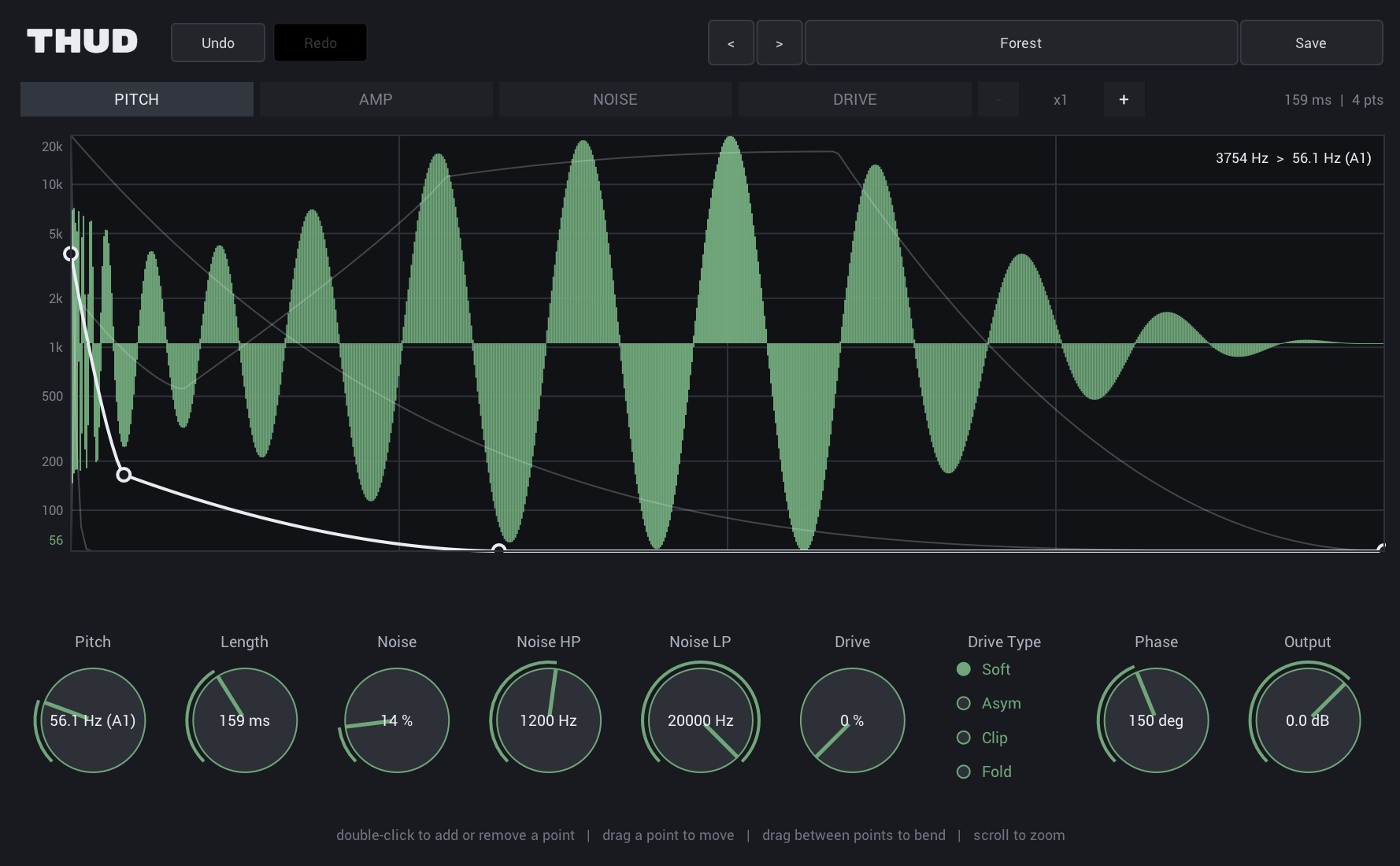
Thud is a kick synthesizer available as VST3 and CLAP on macOS and Windows, and Audio Unit on macOS.
Features
- Four drawable envelopes — pitch, amp, noise, drive — sharing one editor
- Log-domain pitch sweep, with note names on every node
- Zoomable time axis, down to a fraction of the hit
- Noise layer with independent high-pass and low-pass
- Drive stage with four curves — Soft, Asym, Clip, Fold — oversampled 8×
- 12 factory presets, including hats, a snare and a tom
- Save your own presets, with undo and redo
- Resizable UI — drag the bottom-right corner to any size
Growl VST3/AU/CLAP Plugin v0.5.0
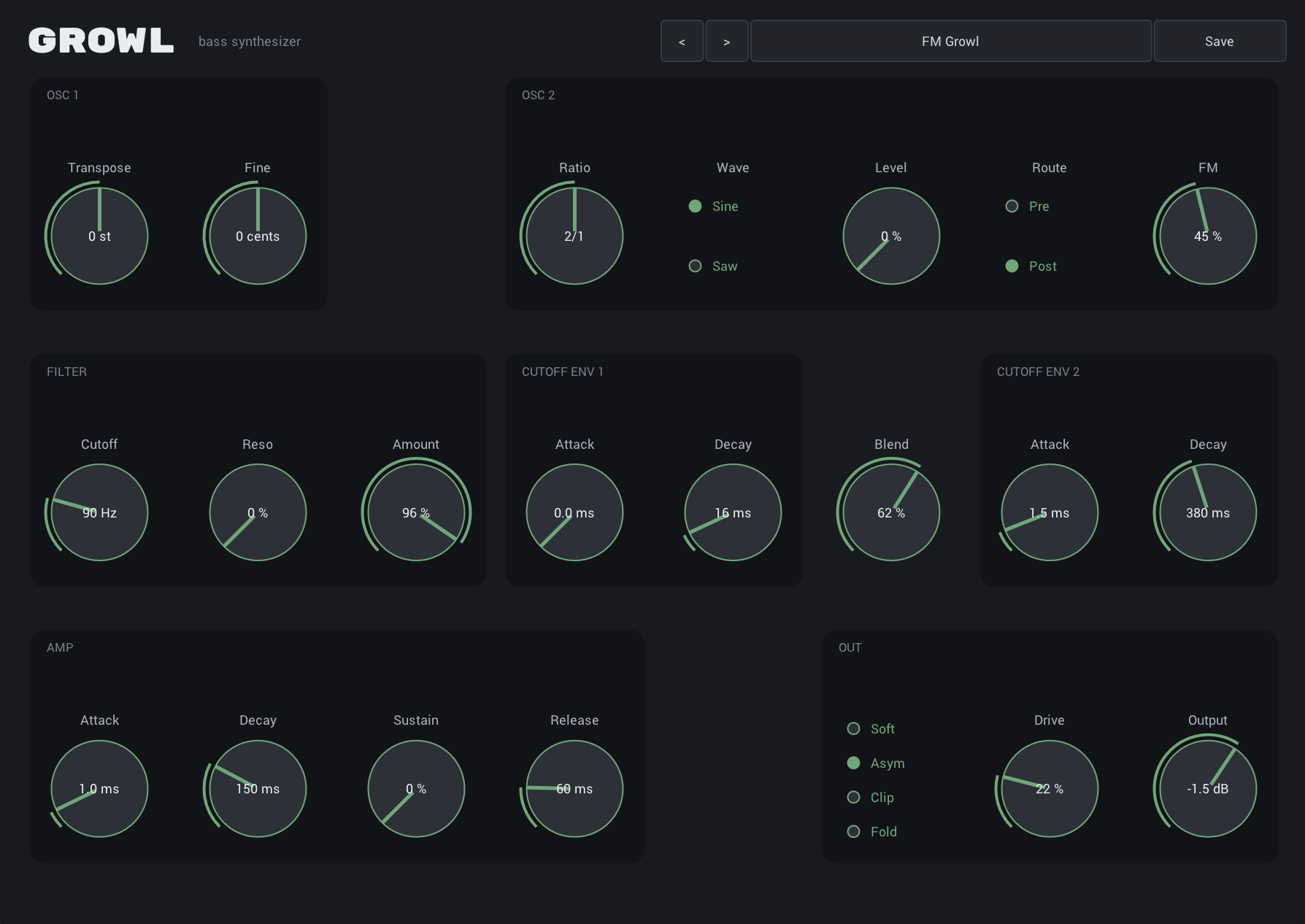
Growl is a bass synthesizer available as VST3 and CLAP on macOS and Windows, and Audio Unit on macOS.
Features
- Additive band-limited wavetable oscillator — every harmonic synthesised individually, so none of them can alias
- Per-harmonic trim on H1 and H2 — pull the fundamental out from under your kick without a sidechain or a high-pass
- Zero-delay-feedback ladder filter with saturation in the loop
- Two pluck envelopes on the cutoff, with a blend control
- Tempo sync on every envelope, from 1/64 to 1/2 — the filter sweep lands on the grid, not near it
- Second oscillator as sub, layer or FM modulator — FM works even at zero level
- Ratios snap to simple rationals, so the result stays pitched
- Band-split saturation — drive the top end hard while the low end stays clean
- Bake the crossover's phase into the wave instead of the signal — the bite without the group delay
- Four drive curves — Soft, Asym, Clip, Fold
- 9 factory presets, plus save your own
- Resizable UI — drag the bottom-right corner to any size
Riff VST3/AU Plugin v0.9.1
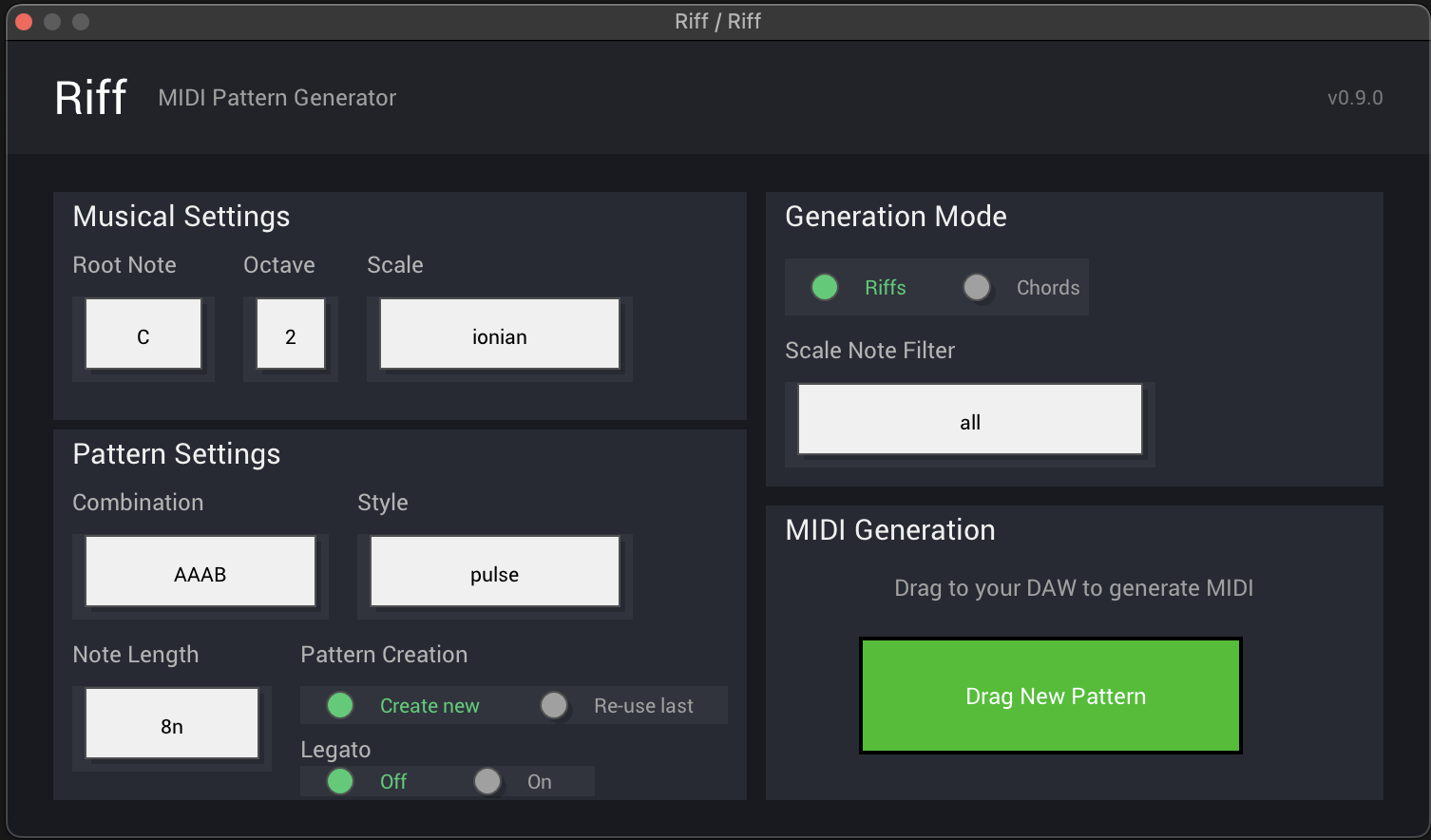
Riff is a VST3/AU plugin that brings Scribbletune's pattern-based music generation directly into your DAW. It's also available as an AU plugin and a standalone app for Mac OS and Windows.
Features
- Pattern-based melody and rhythm generation
- Real-time parameter control
- Integration with popular DAWs
- Built on Scribbletune's proven algorithms
Riff Max for Live Device
Transform your music production workflow with Riff, a sophisticated Max for Live device that generates realistic drum sequences and melodic patterns. Built with TypeScript and optimized for professional music creation.
Works with Ableton Live 11 & 12.
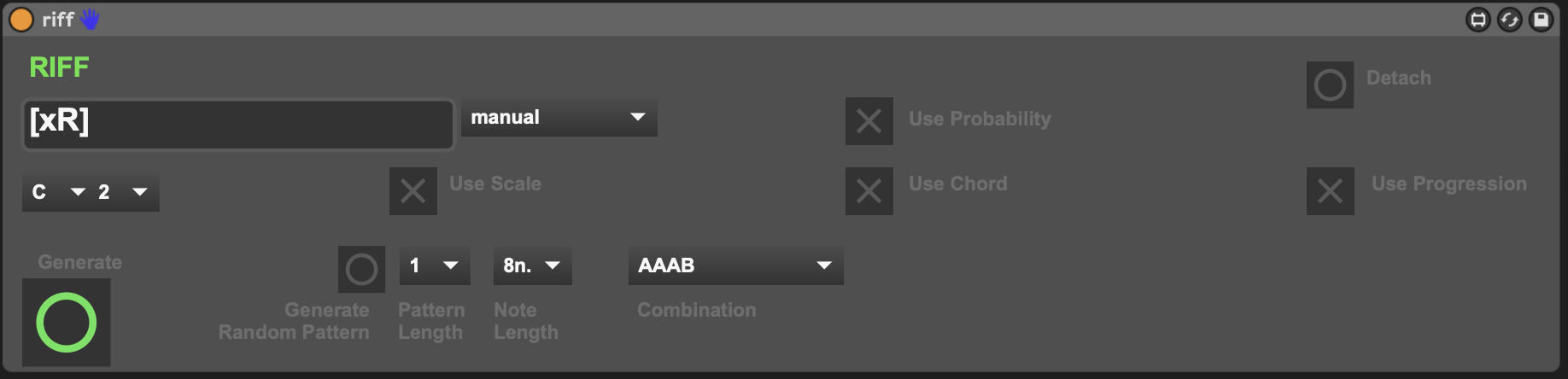
- Melodic Riff Generation - Create melodic patterns with scale and chord progression support for complete musical arrangements
- Real-Time Integration - Seamlessly generates MIDI clips directly in Ableton Live for immediate use in your productions OR live performance
- Manual and preset pattern generation - Enter patterns manually or chose a preset for generation
Riff for Bitwig Controller Script v0.9.1
Riff for Bitwig is a controller script that brings Scribbletune's pattern-based music generation directly into Bitwig Studio. This JavaScript-based controller script is a port of the popular Riff VST3 plugin, optimized for Bitwig's unique workflow. It is free to use and open sourced via GitHub.
Features
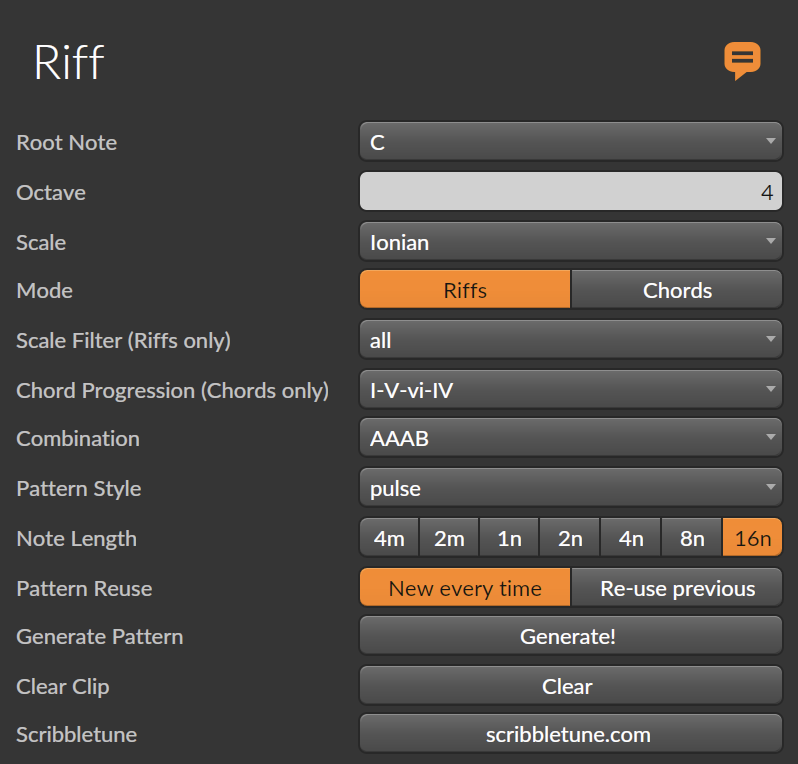
- Two modes: Riffs (monophonic) and Chords (polyphonic progressions)
- 16 pattern styles: pulse, melody, syncopated, breakbeat, buildup, conversation, stutter, hypnotic, and more
- Pattern combinations: A, AAAB, ABAC, ABBB, ABCD, AAABAAAC, ABACABAD
- 12 musical scales: Ionian, Dorian, Phrygian, Lydian, Mixolydian, Aeolian, Locrian, Harmonic Minor, Pentatonic Major/Minor, Blues, Chromatic
- Scale filtering: all, odd, even, first half, second half, thirds
- 7 chord progressions: I-V-vi-IV, I-IV-V, vi-IV-I-V, I-vi-IV-V, ii-V-I, I-V, I-IV
- Variable note lengths from 16n to 4m
- Pattern reuse option for variations
How to install and use Riff for Bitwig
- Download the controller script Riff.control.js by clicking the above button (it will take you to Google drive for the download)
- Copy the JS to Bitwig Studio's Controllers Scripts folder (on Mac this is in ~/Documents/Bitwig Studio/Controller Scripts
- Open Bitwig Studio and access the Controllers section in the Settings
- Click Add Controller and in the Hardware Vendors list, select Scribbletune and then Riff
- You should now see a controllers icon on the top right in the Bitwig window (it looks like a small keyboard).
- Make sure to create and select a MIDI clip and then expand Riff. Make changes to the settings the way you want and hit Generate!
- Selecting a MIDI clip is crucial. Once it s selected, you can keep hitting Generate till you like what you hear (you can also make changes directly to the generated MIDI)
The following video walks through the download and installation steps on Mac OS. Similar steps apply on Windows.
Drummer VST3/AU Plugin
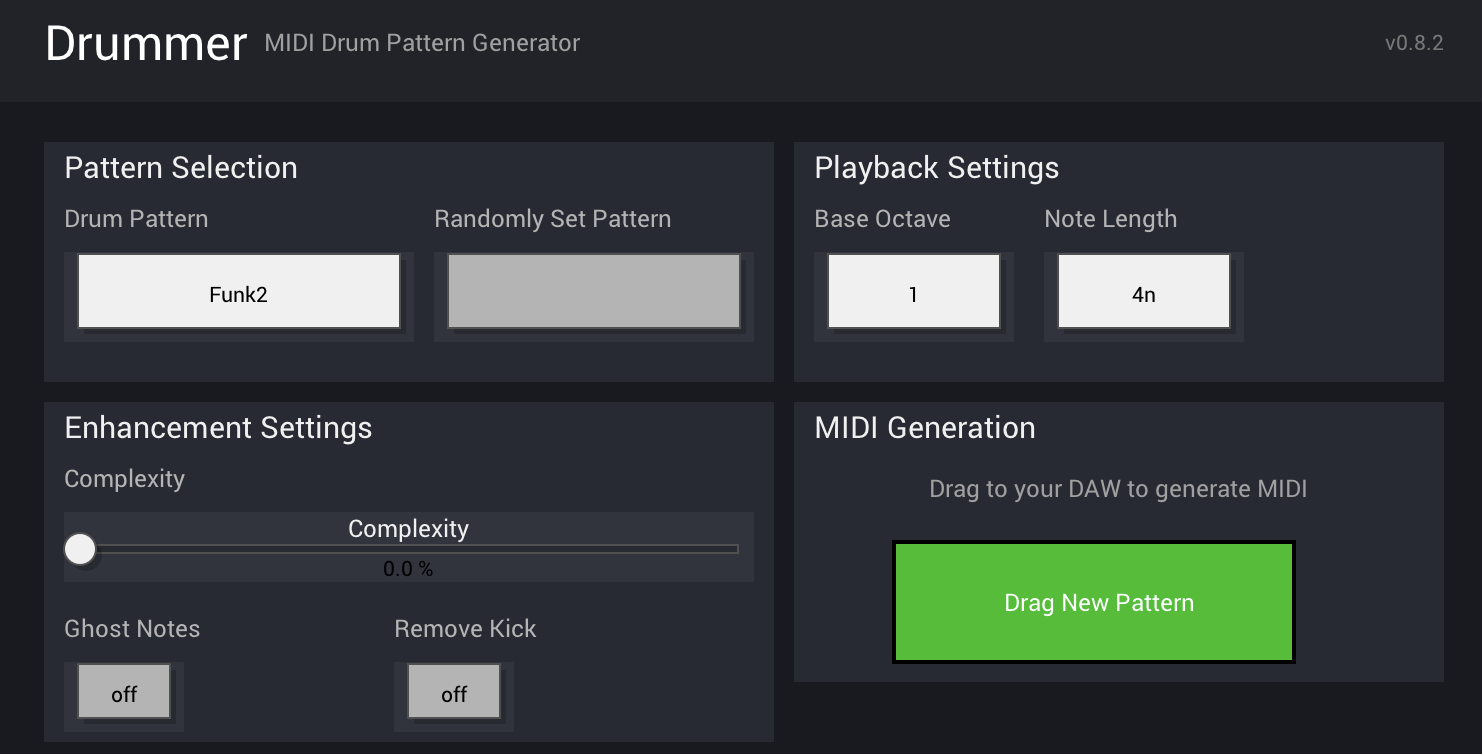
Drummer is a VST3/AU plugin that generates drum patterns using Scribbletune's pattern language and concepts. It's also available as an AU plugin and a standalone app for Mac OS and Windows.
Windows download issue: If Windows Defender blocks the download due to the standalone exe, you can download VST3 or Clap (for Bitwig) separately.
Key features:
- 260+ authentic patterns across 18+ genres (rock, funk, reggae, jazz, hip-hop, etc.)
- Intelligent variation engine that adds fills, flams, and human feel
- Genre-specific selection or full random mode
- Pattern complexity knob (minimal grooves → complex fills)
- Perfect integration with popular DAWs and drum devices
- Performance features like "remove kick" for live use
- Real-time parameter control
- Built on Scribbletune's proven algorithms
Drummer Max for Live Device
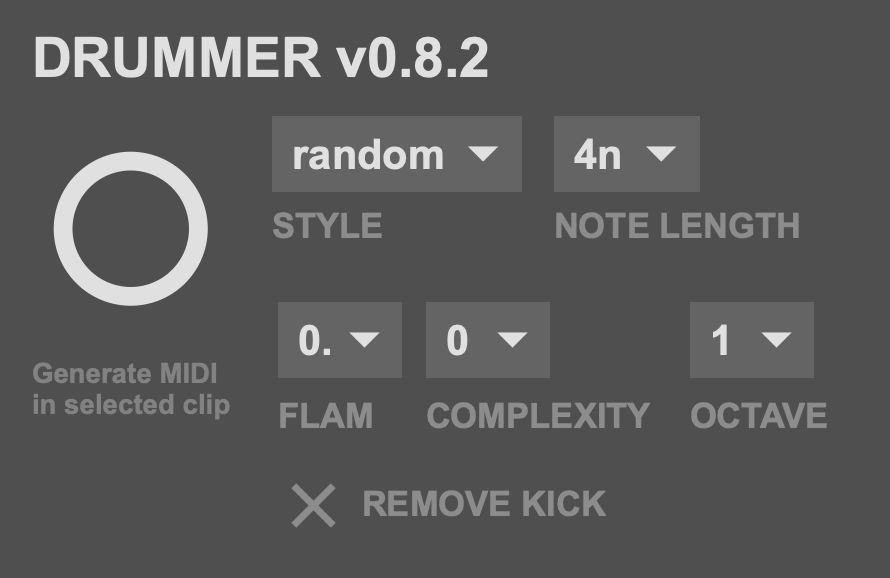
A Max for Live device that generates drum patterns using Scribbletune's pattern language and concepts. Instead of algorithmic generation or generic loops, Drummer is built around the "260 Drum Machine Patterns" book, extending it in interesting ways.
Works with Ableton Live 11 & 12.
Key features:
- 260+ authentic patterns across 18+ genres (rock, funk, reggae, jazz, hip-hop, etc.)
- Intelligent variation engine that adds fills, flams, and human feel
- Genre-specific selection or full random mode
- Pattern complexity knob (minimal grooves → complex fills)
- Perfect integration with Live's drum devices and NI Battery
- Performance features like "remove kick" for live use
Drummer for Bitwig Controller Script v0.1.0
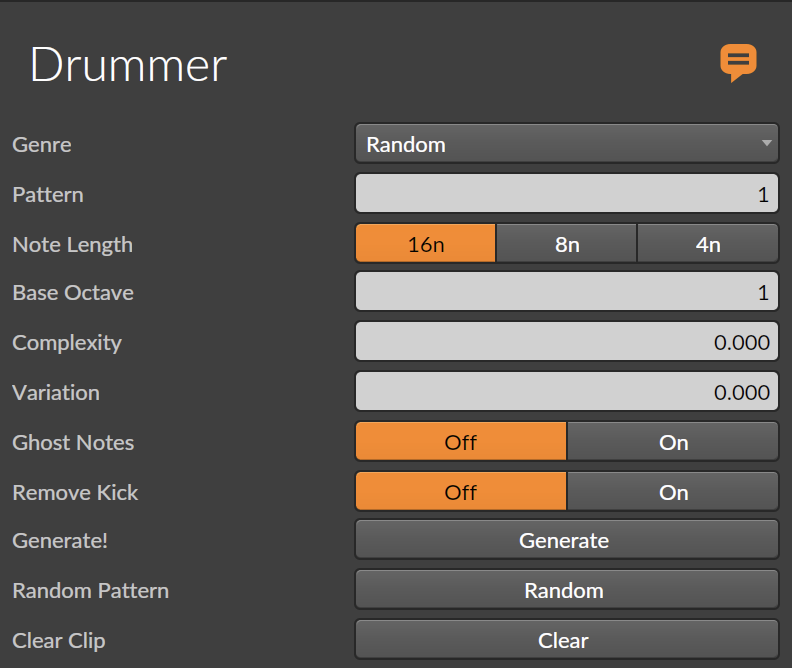
Drummer for Bitwig is a controller script that brings Scribbletune's drum pattern generation directly into Bitwig Studio. This JavaScript-based controller script is a port of the popular Drummer VST3 plugin, optimized for Bitwig's unique workflow. It is free to use and open sourced via GitHub.
Key features:
- 260+ authentic patterns across 18+ genres (rock, funk, reggae, jazz, hip-hop, etc.)
- Intelligent variation engine that adds fills, flams, and human feel
- Genre-specific selection or full random mode
- Pattern complexity setting (minimal grooves → complex fills)
- Use with Bitwig's native drum sampler instrument or Native Instruments Battery
- Performance features like "remove kick" for live use
Patch Notation Tool
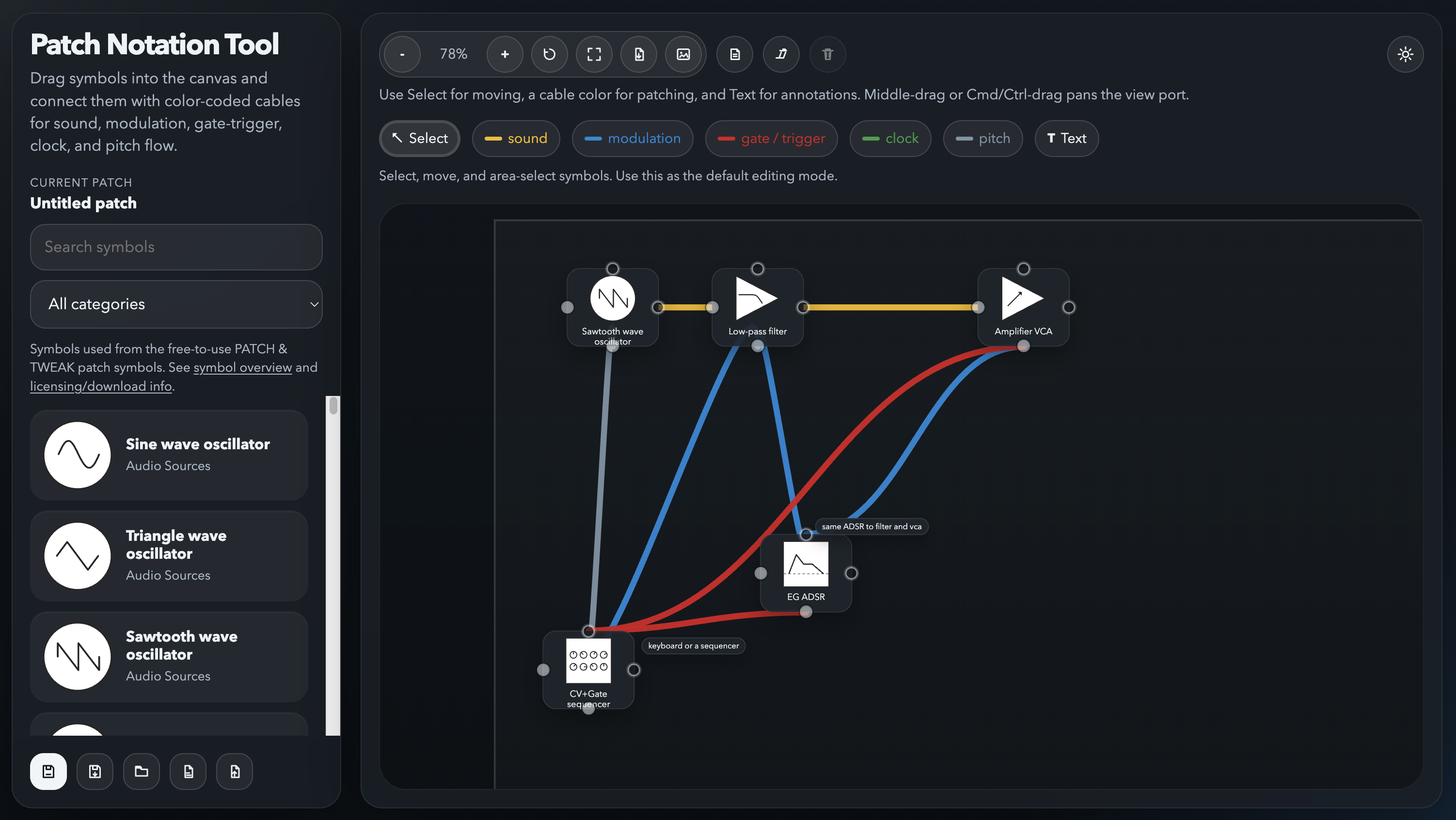
Patch Notation Tool is a browser-based webapp for building Eurorack and VCV Rack patch diagrams using the official PATCH & TWEAK patch symbols.
Features
- 91 SVG symbol assets from the PATCH & TWEAK symbol library
- Drag-and-drop patch canvas with pan, zoom, reset view, fit-to-content, and grid snapping
- Tool modes for selection, cable patching, and inline text annotations
- Cable types with distinct colors: sound, modulation, gate/trigger, clock, and pitch
- Local patch library backed by IndexedDB, plus JSON import/export
- SVG and PNG export
Johann
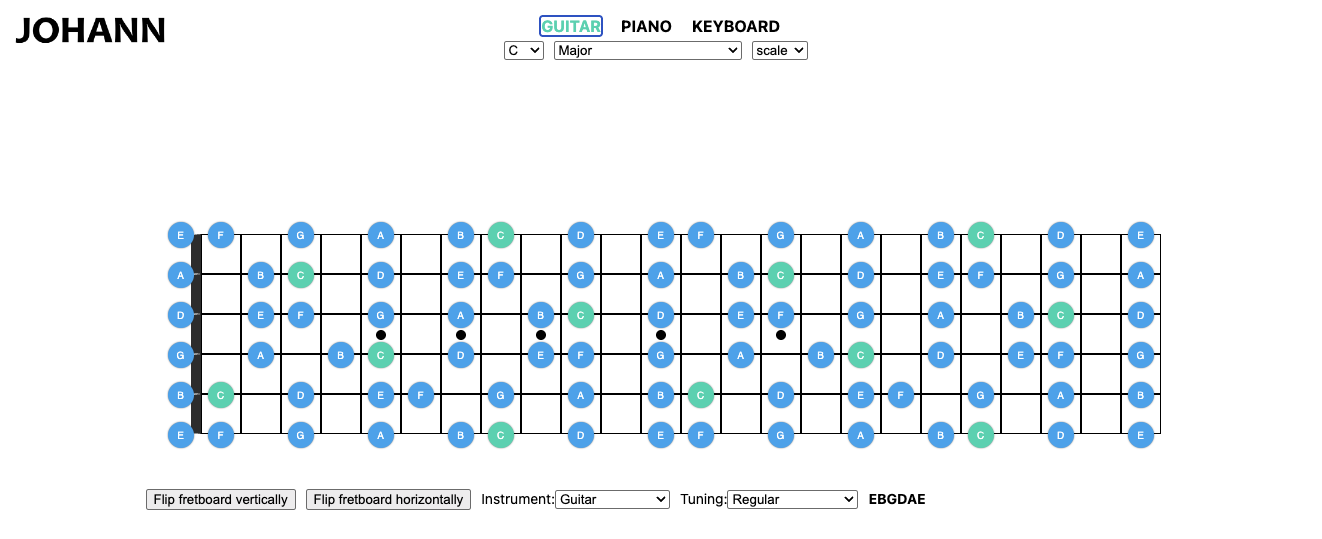
Johann is a browser-based tool built with Scribbletune that visualises any scale or chord across an entire guitar fretboard or piano keyboard — so you can see exactly where every note sits and use it as a reference chart while you practice.
Features
- Visualise any scale or chord across a full guitar fretboard or piano keyboard
- Instantly generates a reference chart for any key and scale you are practicing
- Built with Scribbletune's music theory engine